For some countries, such as Spain, Sendcloud offers zonal shipping methods. Commerce 365 for Sendcloud requires that all shipping methods you want to use are first available in Microsoft Dynamics 365 Business Central.
For zonal shipping methods, the Sendcloud API does not provide the required metadata. As a result, these shipment methods cannot be imported automatically and must be added manually in Business Central.
The easiest way to begin is by downloading the Excel configuration package template, which you can find at the bottom of this page.
To import zonal shipment methods, follow these steps:
Open the Excel file.
On Sheet 1, add the shipment method(s).
Make sure to use the exact Shipment Method IDs as configured in Sendcloud.
If you do not have this information, please contact your Sendcloud Customer Service Manager.Set the MANUAL column to TRUE for all manually imported shipment methods.
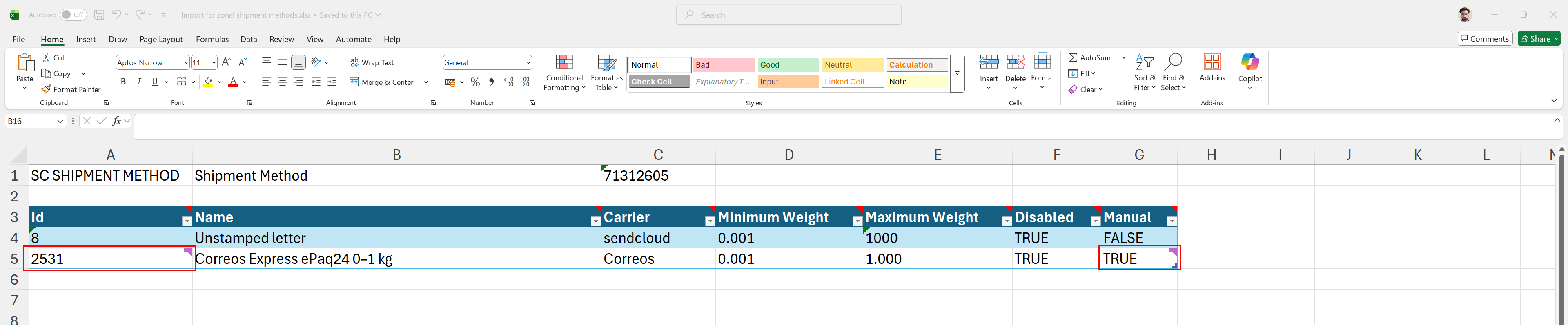
Next, on Sheet 2, create a separate record for each unique combination of FROM and TO country.
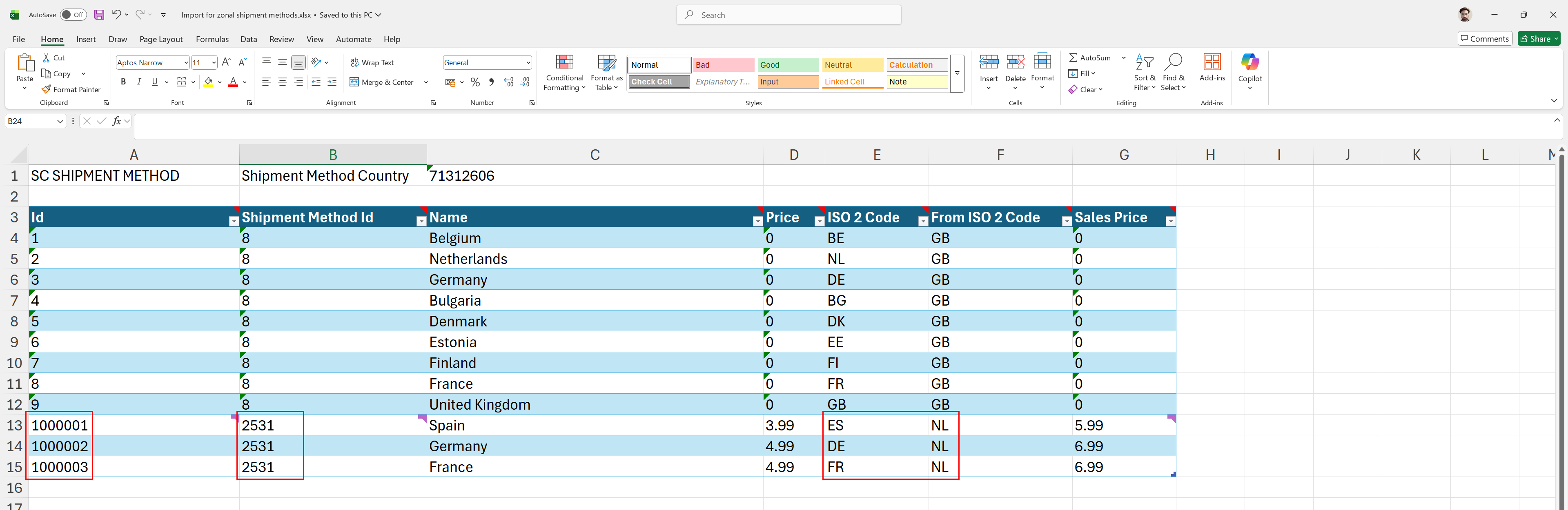
Make sure to remove the dummy data included in the template.
Once the Excel file is prepared correctly, upload it as a configuration package in Business Central. Finally, apply the package to import and activate the uploaded data.

Was this article helpful?
That’s Great!
Thank you for your feedback
Sorry! We couldn't be helpful
Thank you for your feedback
Feedback sent
We appreciate your effort and will try to fix the article