Automatically creating Sendcloud shipments during the Business Central shipping process is the most common workflow. Starting from a Business Central sales order, a warehouse shipment is created. After the pick is completed, the warehouse shipment is posted, which also posts the sales shipment. During this posting process, the Commerce 365 for Sendcloud extension can automatically create a Sendcloud shipment based on the data from the sales shipment.
To configure the extension to use this workflow, open the setup card. Under Shipment Creation, select Automatically Create Shipments.
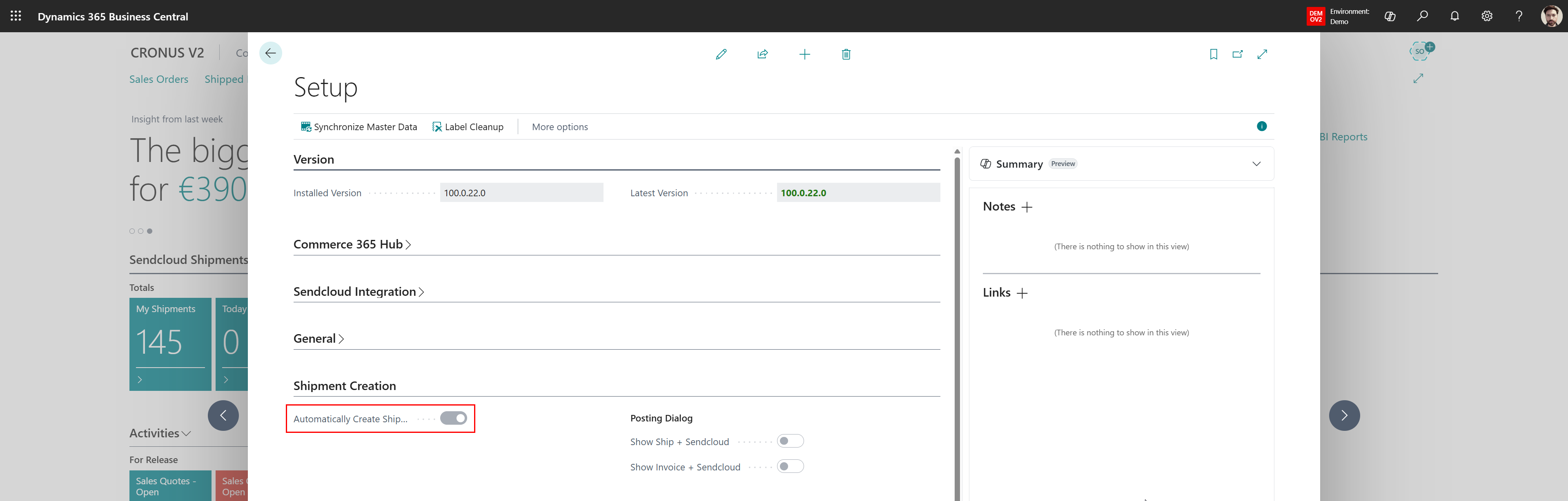
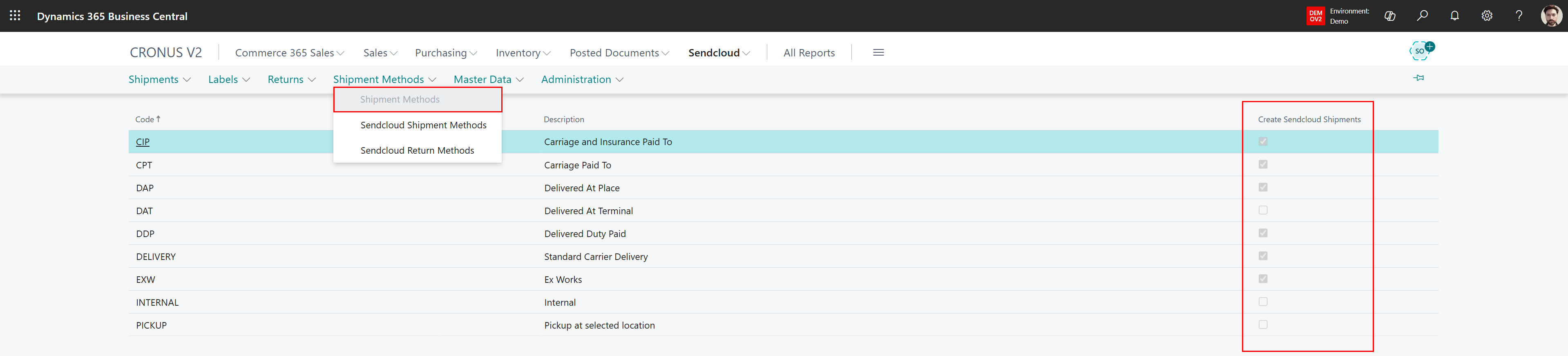
With this configuration in place, the extension evaluates each posted shipment. If the selected shipment method has Create Sendcloud Shipments enabled, a Sendcloud shipment is created.
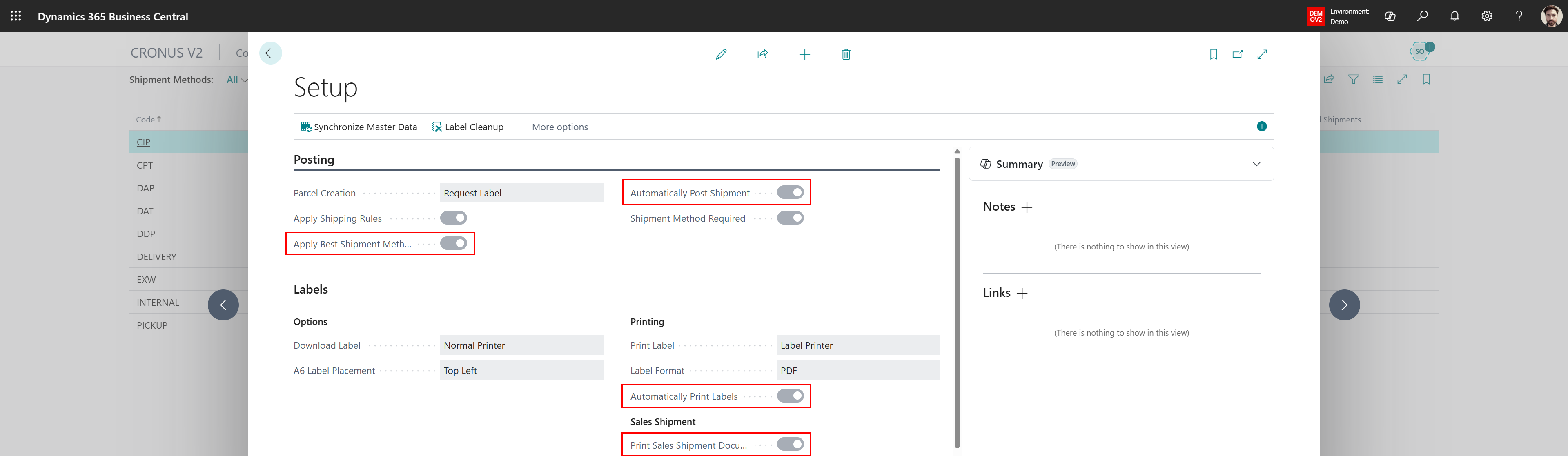
Depending on the configuration, the extension can then automatically select the most suitable carrier, book the shipment, and print the shipping label and shipment note.
Was this article helpful?
That’s Great!
Thank you for your feedback
Sorry! We couldn't be helpful
Thank you for your feedback
Feedback sent
We appreciate your effort and will try to fix the article