When researching issues or when someone from the NVision support team is asking for detailed information, in the menu go to Integration > Synchronization Log.
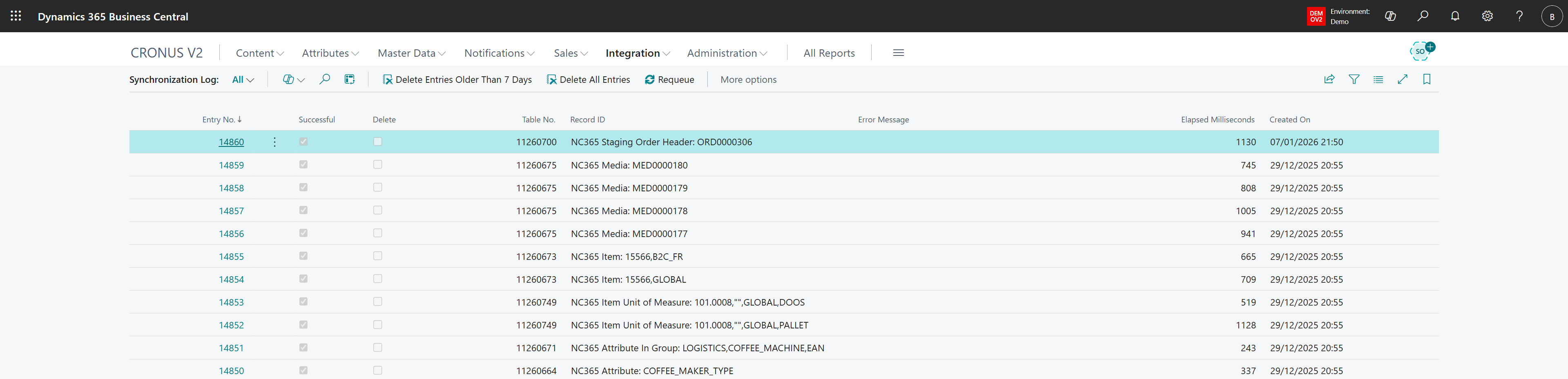
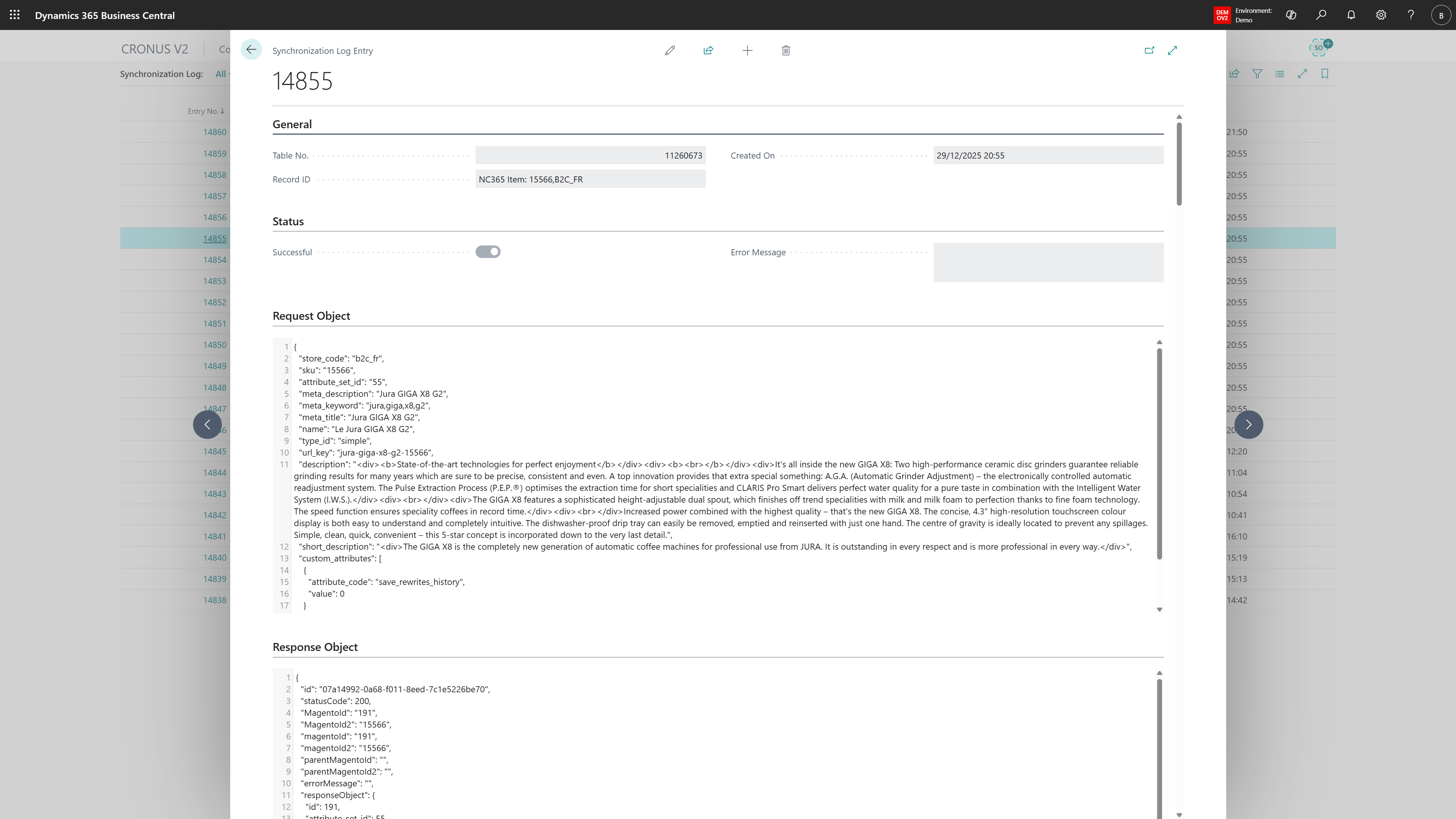
Locate the relevant entry. Click on Entry No. to open the Synchronization Log Entry to view more details. When requested to provide more information for support, save both the Request Object and the Response Object and if relevant also the Error Message. Send this information to the support desk for further assistance.
Was this article helpful?
That’s Great!
Thank you for your feedback
Sorry! We couldn't be helpful
Thank you for your feedback
Feedback sent
We appreciate your effort and will try to fix the article